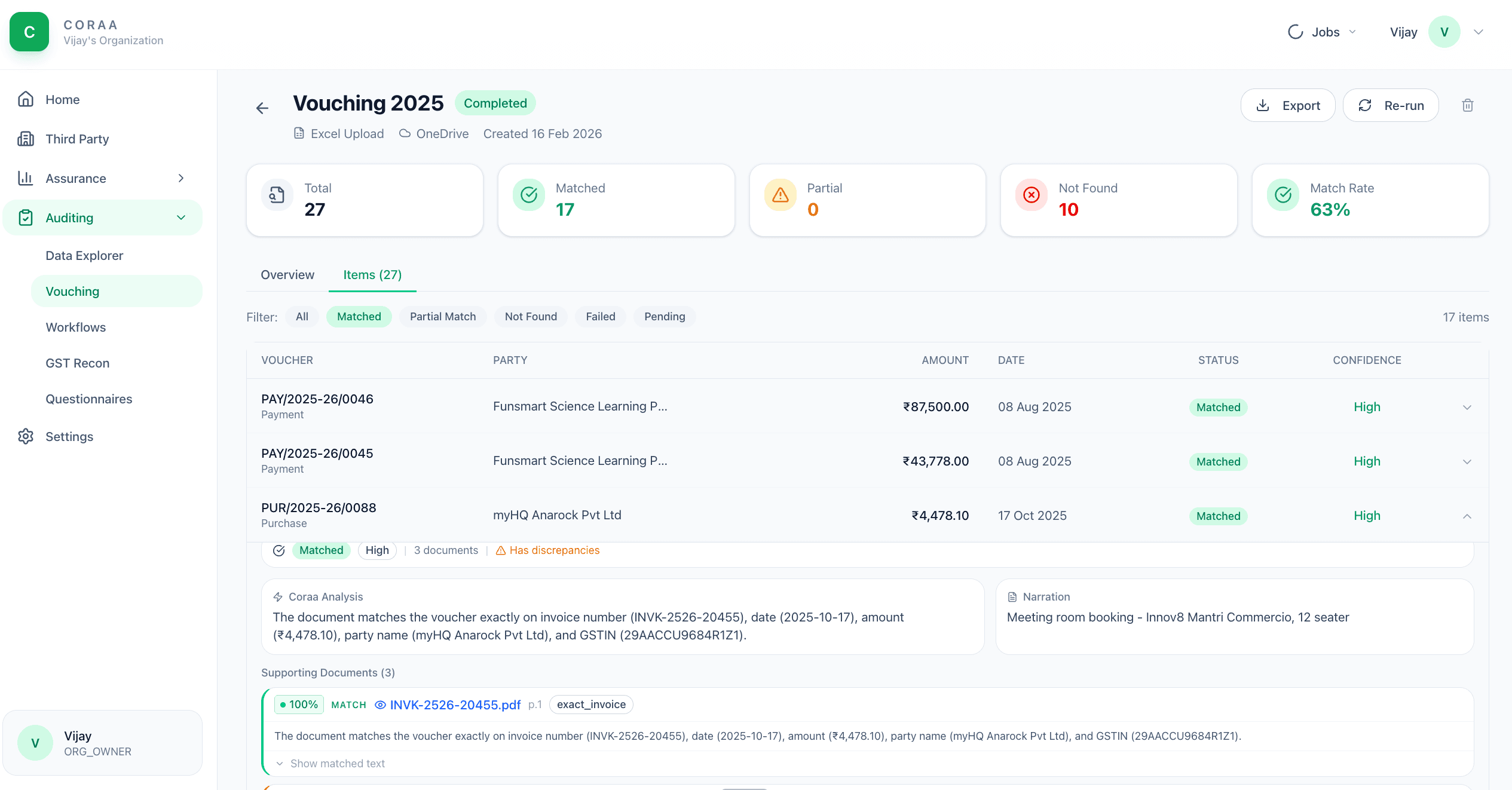
Vouching means matching a booked transaction to its underlying invoice or supporting document. The traditional approach is three articles, six hours, a thousand tick-marks. CORAA seeds the voucher list from this year's locked SA 530 sampling plan, OCRs and indexes the documents you upload, then matches each sampled voucher to its best supporting candidate by vector search and AI reasoning — with a Matched / Partial / Not Matched status, a confidence level, and any discrepancy stated with the source image attached.
Two paths to the same audit conclusion. One leaves traces; the other doesn't.
Bulk upload PDFs and images. CORAA accepts ZIP archives, folder uploads, or drag-and-drop. Files can come from the client's email, scanned cabinet, or accounting system attachments.
OCR reads every page; scanned PDFs and images become searchable text. Documents are embedded and indexed, and for each sampled voucher a vector search proposes candidates, reranked, with a model reasoning about whether the candidate genuinely corroborates the voucher — producing the match status, confidence and discrepancy.
Mismatches surface in the Vouching working paper. Each row shows the source image, the OCR extraction, the matched ledger entry, and the variance. The auditor accepts the match, flags for client clarification, or rejects.
Trained on Indian invoice formats: GST invoices, Bill of Supply, debit notes, credit notes. Extracts the standard 7-8 fields per invoice with high accuracy.
Each sampled voucher pairs with its best supporting-document candidate. The match card shows the voucher, the document, the confidence level and the discrepancy the model noticed — accept it, reassign it, or flag the item as unsupported.
For every ledger entry without a matched invoice in the upload set, CORAA lists it as missing-support. The auditor sends this list to the client through Client Portal as a single questionnaire.
Every voucher carries its match history: who uploaded the invoice, when OCR ran, what was extracted, who accepted the match, who flagged it. Preserved per SA 230.
Flagged items group into structured exception classes with confidence scoring, so a review isn't just a pile of unmatched rows.