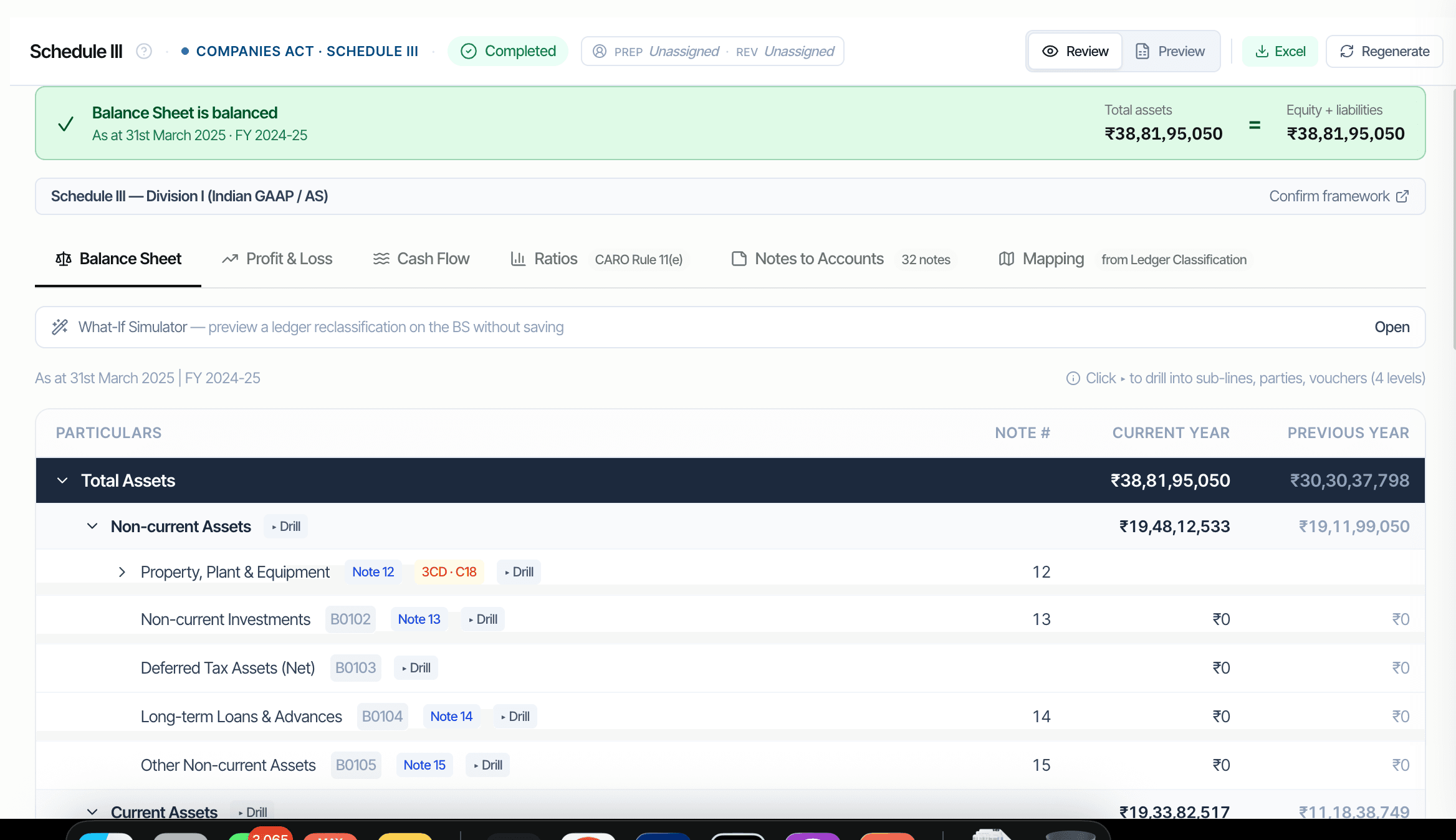
Lead schedules are the auditor's primary working paper for every Balance Sheet and P&L head. CORAA composes them automatically from the mapped ledger data. Each schedule shows CY and PY columns with variance analysis. Three-level drill: balance head, ledgers under it, parties under the ledger, vouchers under the party. Tie-out enforced at composition: Total Assets must equal Total Equity plus Total Liabilities.
Two paths to the same audit conclusion. One leaves traces; the other doesn't.
Once Ledger Mapping's Schedule III dimension is set, every ledger has a Sch III line code. Lead schedules aggregate ledgers by line code using SUMIFS over the Trial Balance.
Click any Sch III line to expand to its constituent ledgers. Click any ledger to see the parties contributing to it. Click any party to see the source vouchers. Read-only at all three levels; corrections happen via Ledger Mapping.
CY and PY columns side by side. Variances above 25% flagged for explanation, the Schedule III ratio-disclosure trigger. The variance note feeds the Ratios note directly.
Every line code from A1 Equity Share Capital through F7 Other Current Assets, plus P1 Revenue through P9 Other Expenses. Division I for AS; Division II for Ind AS.
Three levels deep, all read-only. Corrections happen at the Ledger Mapping screen, which propagates back to every dependent lead schedule.
Total Assets must equal Total Equity plus Total Liabilities. CORAA refuses to mark a lead schedule 'ready' if the tie-out fails by more than ₹1. Same for the P&L bottom line feeding Reserves & Surplus.
Lead schedules export to standard Excel in the firm's own template format. OneDrive integration means the Excel lives in the firm's cloud, not CORAA's.