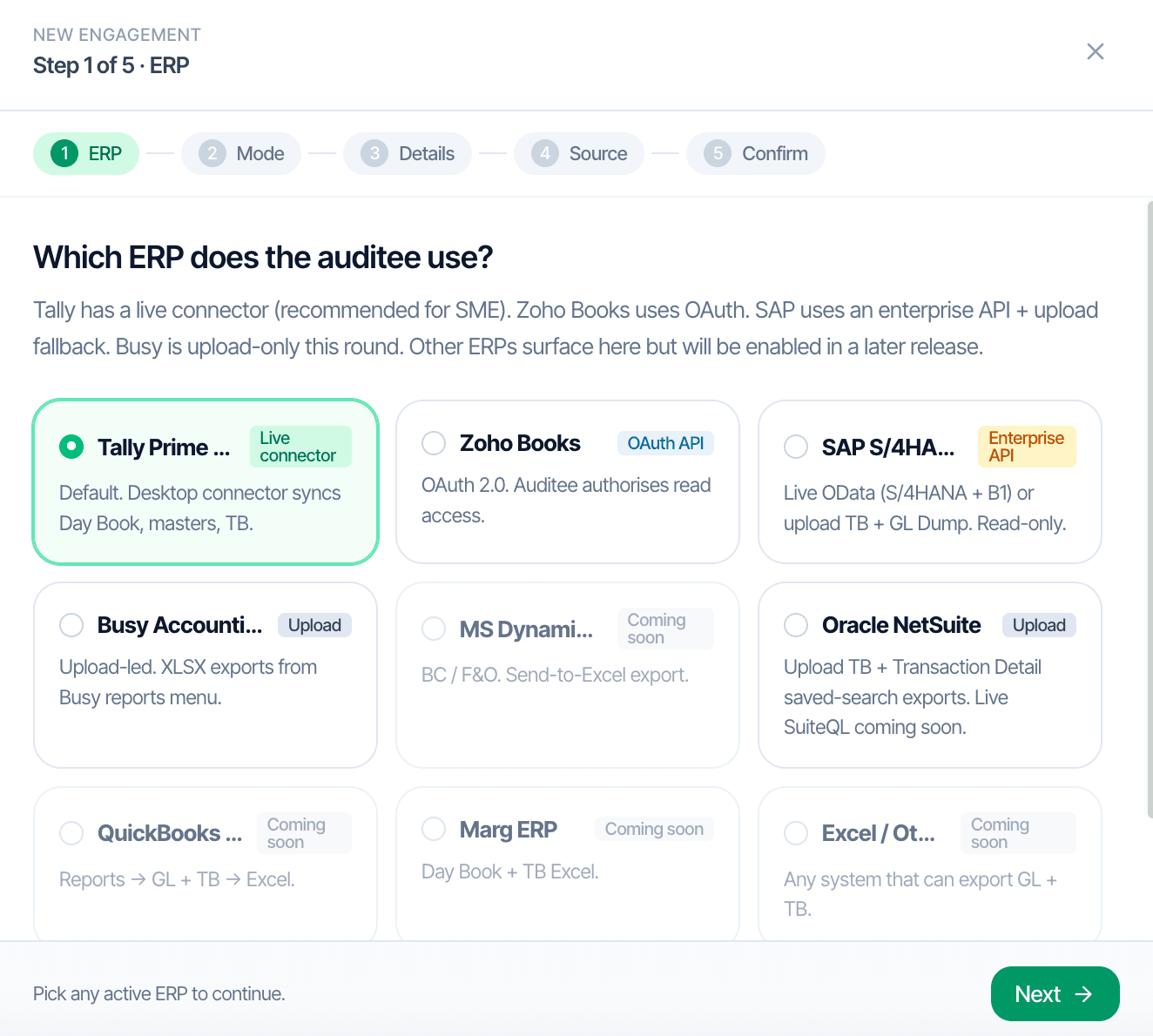
இந்திய கணக்காய்வுs sit on top of seven ERPs in practice. CORAA supports each with the integration model that matches how the auditee actually works. Tally Prime gets a live desktop connector. Zoho Books authorizes once via OAuth. SAP, NetSuite, Busy, and Marg ingest via Excel upload. The downstream பயனர் interface and every பணிக்காகிதம் are identical across all paths.
Two paths to the same audit conclusion. One leaves traces; the other doesn't.
Step 1 of the five-step எங்கேஜ்மென்ட் Setup wizard. Seven supported options today; more arriving.
Zoho Books OAuth கேட்கிறது. Tally Prime உள்ளூர் இணைப்பானை பதிவிறக்குகிறது. SAP, NetSuite, Busy, Marg ஒவ்வொரு அறிக்கைக்கும் ஏற்றுமதி பாதைகளை காட்டுகின்றன.
15 to 20 minutes for a 500 crore turnover நிறுவனம். Under one hour at 1,000 crore. Settings persist for next year.
கணக்காய்வாளர் downloads a Windows or macOS connector that runs on their machine and reads from the auditee's Tally over LAN. No exports, no email, no version drift.
The auditee grants read access once. CORAA pulls the General Ledger, Trial Balance, Chart of Accounts, வாடிக்கையாளர்கள், விற்பனையாளர்கள், and Invoices directly via the Zoho API.
Standard report exports from each ERP get uploaded to CORAA. The UI presents the data identically to connector-based ingestion; கணக்காய்வாளர்கள் do not learn a new interface per ERP.
Each எங்கேஜ்மென்ட் is a separate workspace; வாடிக்கையாளர் data never mixes. Role-based access scopes article assistants, audit மேலாளர்கள், and பங்குதாரர்கள் to specific எங்கேஜ்மென்ட்கள். Every action is logged per SA 230.