CORAA
Findings· निष्कर्ष

Findings

Every flag a structured record. The partner reviews only what matters. The audit trail satisfies NFRA inspection.

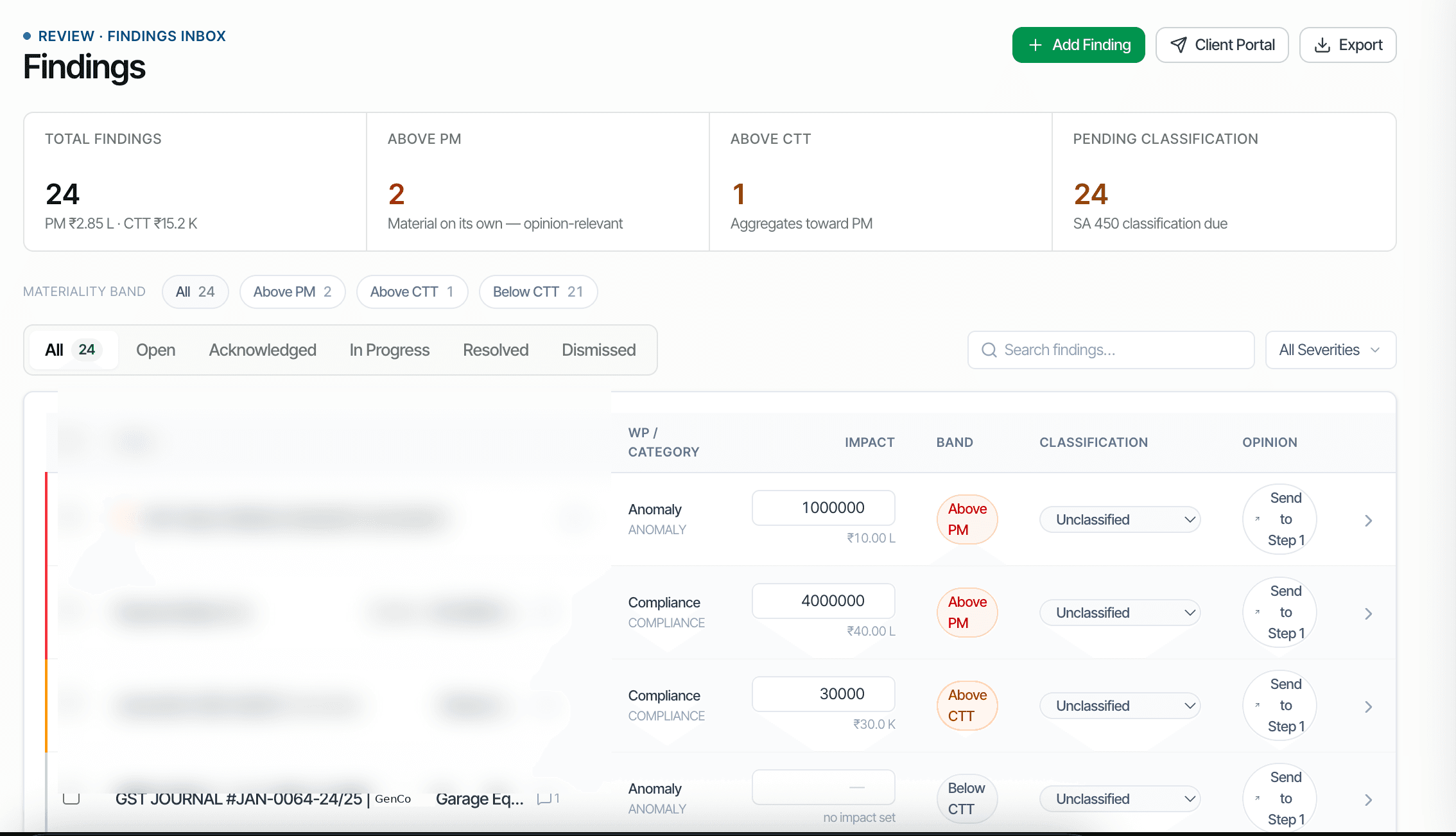
CORAA Findings inbox with materiality-band classification
01·Materiality-band triage

Auto-classified the moment the flag is raised.

Every voucher anomaly, every Schedule III mismatch, every threshold breach surfaces in the Findings inbox. CORAA auto-classifies by materiality band, Above PM, Above CTT, Below CTT, using the locked materiality memo. Articles triage Below CTT; partners review Above PM. Nothing falls through.

  • Auto-classified the moment the flag is created
  • Above PM, Above CTT, Below CTT, three bands consume the materiality memo
  • Filter by Working Paper, severity, or status
  • Above-PM findings block Opinion sign-off until resolved
  • Every action, create, classify, resolve, dismiss, logged with timestamp and user
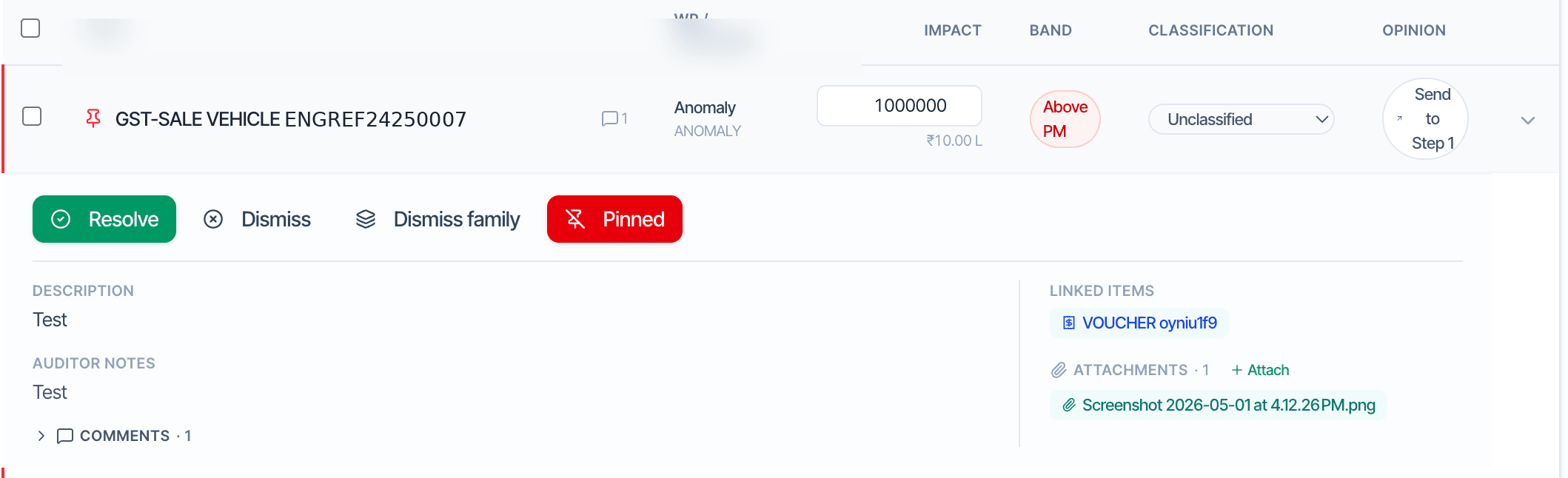
Finding detail with resolve, dismiss, and pin actions
02·First-class objects

Each finding carries its full context.

A finding is more than a flag, it carries description, auditor notes, attachments, linked vouchers, version history, and comments. When the partner reviews, every prior reviewer's note is preserved. When a peer reviewer arrives, the full history is reproducible.

  • Description, auditor notes, linked vouchers, attachments, comments preserved
  • Version history, every edit tracked with reason
  • Actions: Resolve, Dismiss, Dismiss-family (suppress pattern permanently), Pin
  • Audit log captures creator, timestamps, resolver, rationale
  • Reproducible for peer review and NFRA inspection

Dismiss a finding as a 'family', the pattern is suppressed for that engagement permanently. The rule continues running.

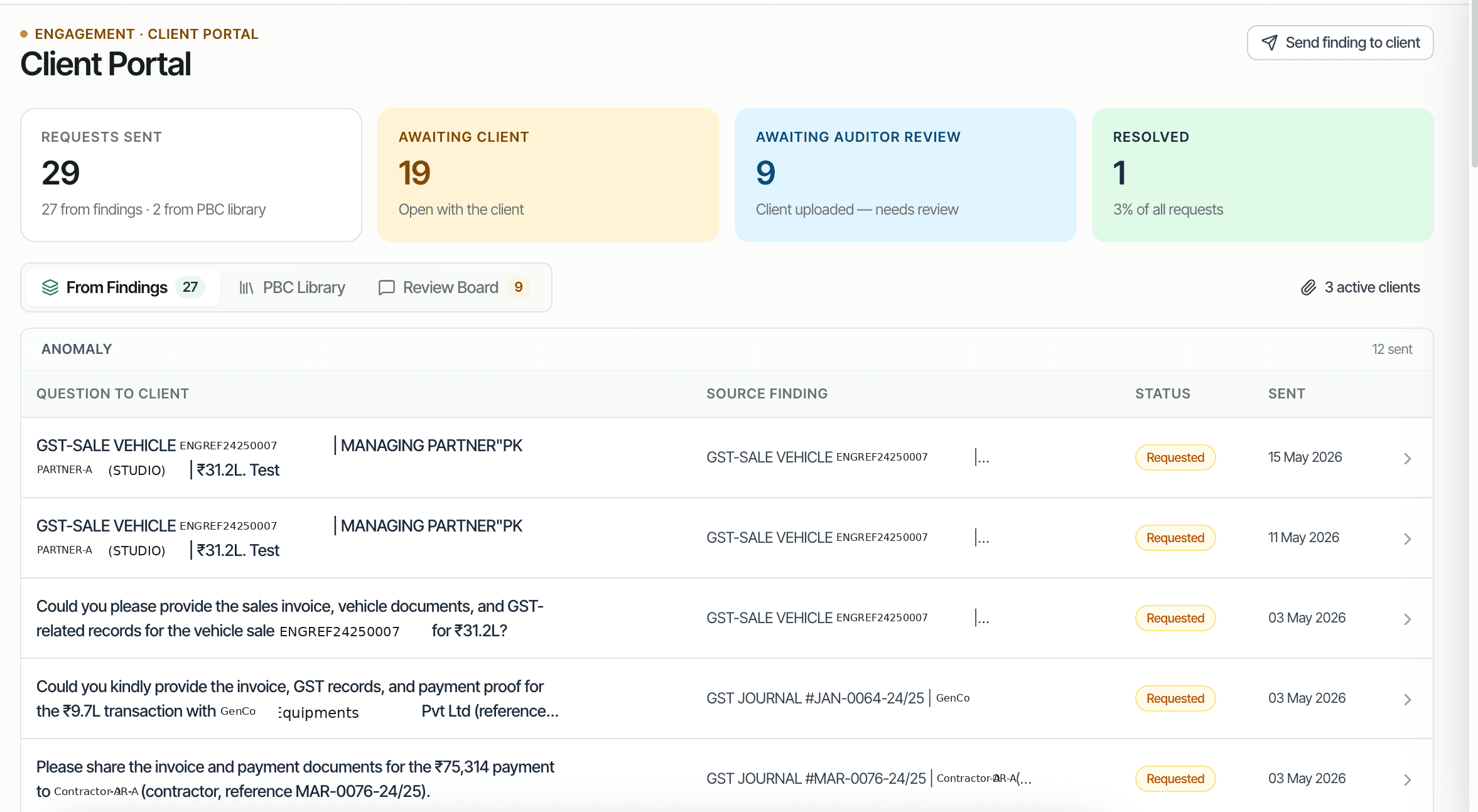
CORAA Client Portal, questionnaire built from findings
03·Client Portal

Findings become client questions, automatically.

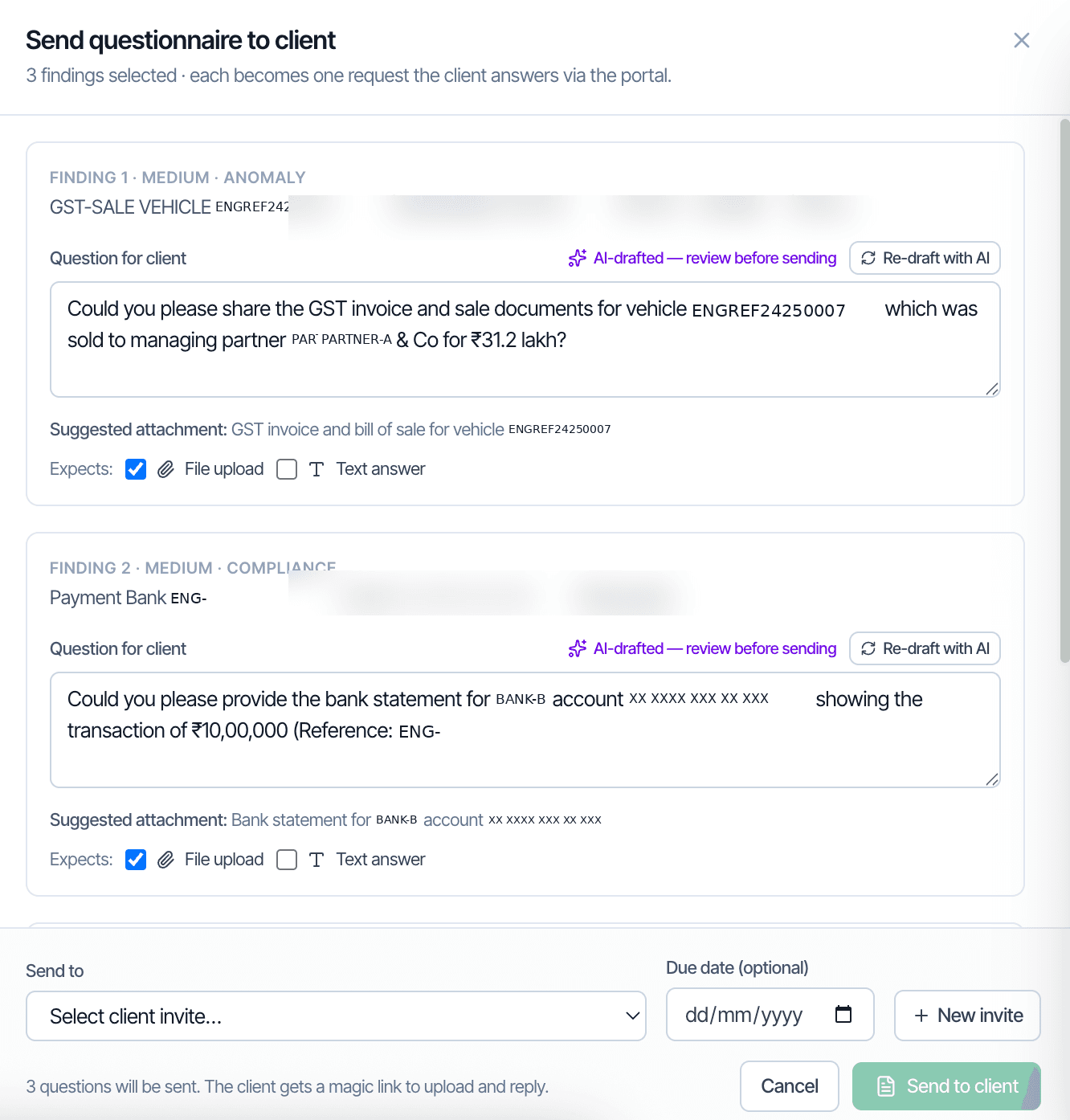
When evidence is required from the client, one click converts a finding into a portal request. CORAA drafts the question, what's needed, what attachment, what context. The client receives a magic-link email, opens the link, uploads the file or types a response. No email exchanges, no signup, no follow-up sequence.

  • AI-drafted questions from findings
  • Bundle multiple findings into one questionnaire
  • Magic-link delivery, client has no account to create
  • Expected response: file upload, text answer, or both
  • Status tracking, Requested · Awaiting Client · Awaiting Auditor Review · Resolved
Send questionnaire compose with AI-drafted questions
04·SQM 1 · EQR

Peer Review and Quality Review, built in.

A peer reviewer or Engagement Quality Reviewer opens the same Findings inbox the audit team used. Nothing is hidden. Every finding's history, creator, attachments, resolver, rationale, is timestamped per SA 230. The entire workflow aligns with SQM 1 quality management requirements and supports NFRA inspection readiness.

  • SQM 1-compliant reviewer workflow
  • Engagement Quality Review (EQR) interface per SA 220 (Revised)
  • Every finding history reproducible, no hidden state
  • Audit log preserves every action with user and timestamp
  • NFRA inspection ready
Inside Findings

Inside Findings

Three reviewer workflows, for the audit team, for the client, and for the peer reviewer.

Frequently asked

Answers, up front.

An audit team member flags a finding requiring client evidence, say, a missing invoice for a ₹31 lakh transaction. CORAA drafts the question (AI-suggested), lists the expected attachment, and offers to send via magic-link. The client opens the link, uploads the file or responds in text, and the response routes back to the originating finding. No client account, no email attachments, no follow-up sequence.
Never. The Findings inbox is internal to the audit firm. The Client Portal is a curated outbound, the audit team selects which findings become client questions. Internal triage (Resolve, Dismiss, Pin) remains inside CORAA.
Every finding carries a complete audit trail, creator, timestamp, attachments, resolver, resolution timestamp, and rationale. A peer reviewer or EQR partner opens the same Findings inbox the audit team used. Nothing is hidden; everything is timestamped per SA 230. Supports SQM 1 quality management and NFRA inspection readiness.
Dismissing a family suppresses the underlying pattern permanently for that engagement. For example, dismissing 'cash transaction on Sunday' as a family for an automobile dealer (Sunday is a sales day) prevents Sunday-cash flags for that client thereafter. The rule continues running; the dismissal applies suppression only to that engagement. The dismissal reason is logged and reversible.
Take it for a spin

Run a live audit. See the working.

Connect one client. Walk through the full audit lifecycle, classification through UDIN sign-off. No decks masquerading as demos.

Start the free trial →Book a walk-through
Audit Findings, Client Portal & Peer Review | CORAA | CORAA